
Tarnwick

Start with the basics. Add modules for the decisions that cost you most.

Every module is customised and developed for you at a fixed price. They all run on the same framework, so they share the same clean data and the same rules.
Core modules

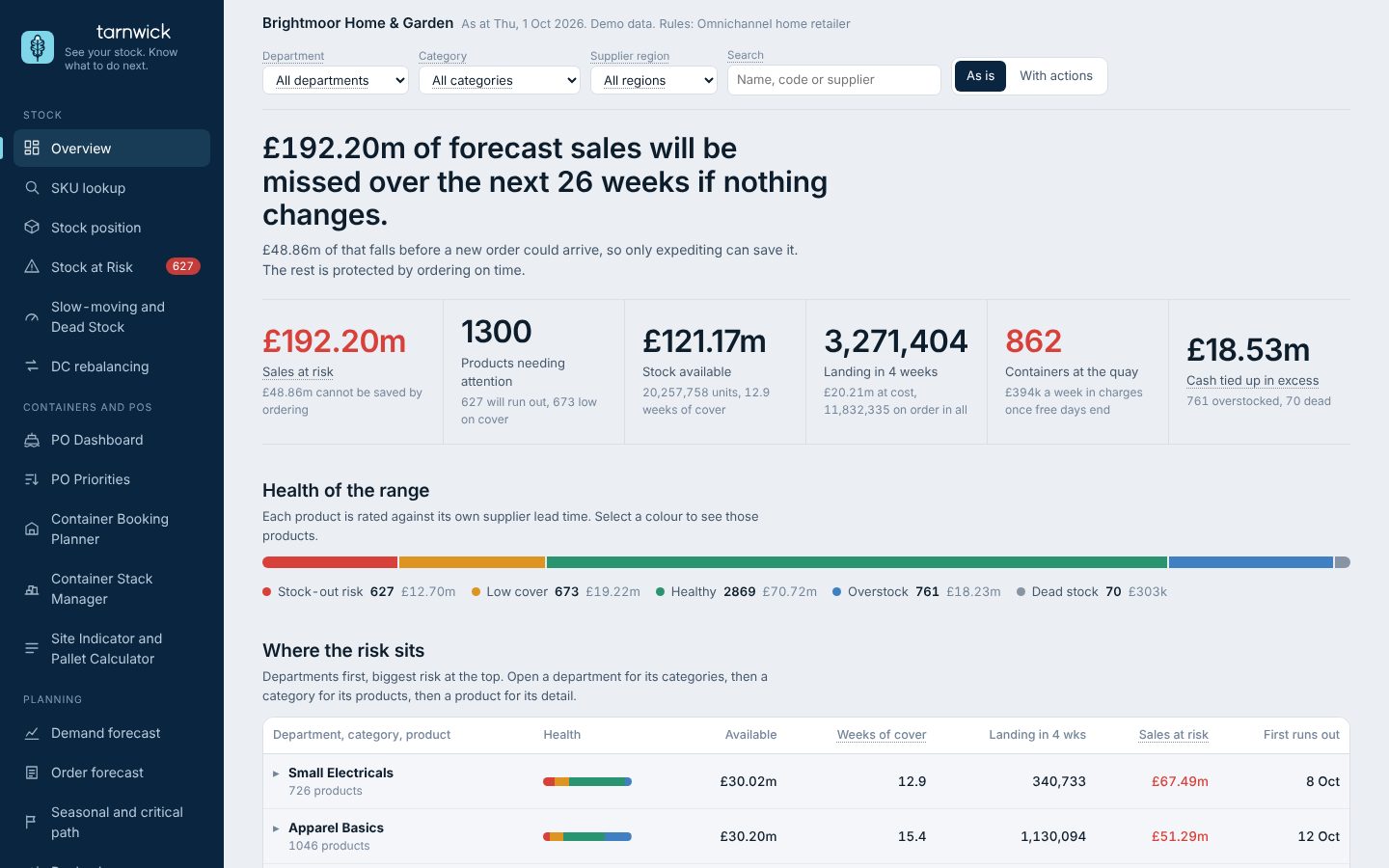
Stock visibility screen

Stock visibility

Where is every unit, and which products need me?
  • Stock by DC, category and SKU
  • Every SKU rated healthy, low, at risk, overstocked or dead
  • Run-out and order-by dates against lead time, with what each fix protects
Rules you set
+ Any of your own custom rules
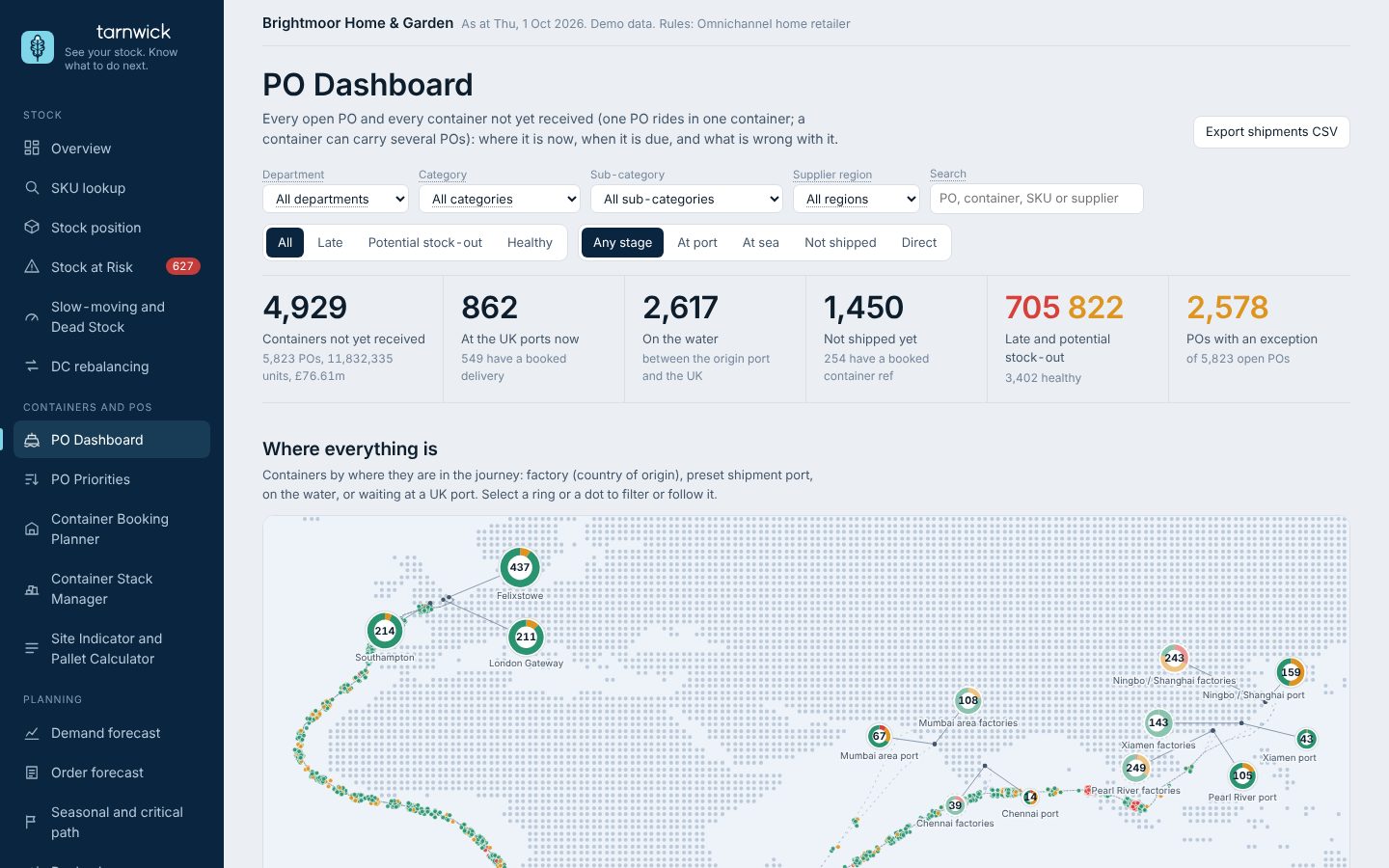
PO Dashboard with the world map of every container

PO Dashboard

What is on its way, and will it land in time?
  • Every PO and container on a live map, factory to UK port
  • Files from multiple forwarders on one timeline
  • Slippage against the original ETA
  • POs still in production planned from the supplier's ex-factory date
Rules you set
+ Any of your own custom rules
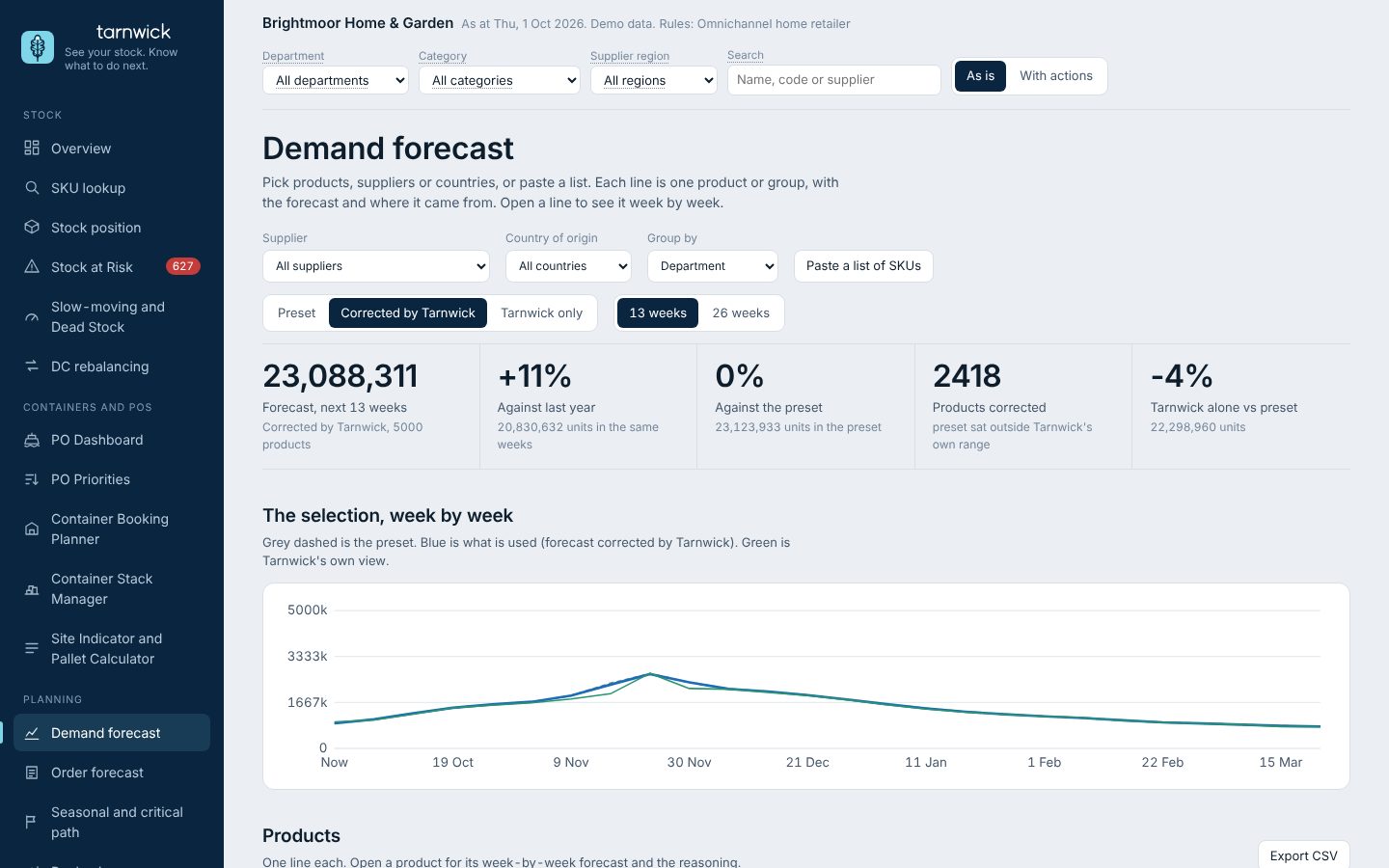
Demand screen

Demand and forecasting

What would customers have bought if we had been in stock?

  • Stock-out weeks re-estimated before forecasting
  • Works on its own, or alongside the forecast you already have
  • WoC for each of your busiest weeks
Rules you set
+ Any of your own custom rules

More modules, built for you

Each one is customised and developed for you at a fixed price, and runs on your own rules.
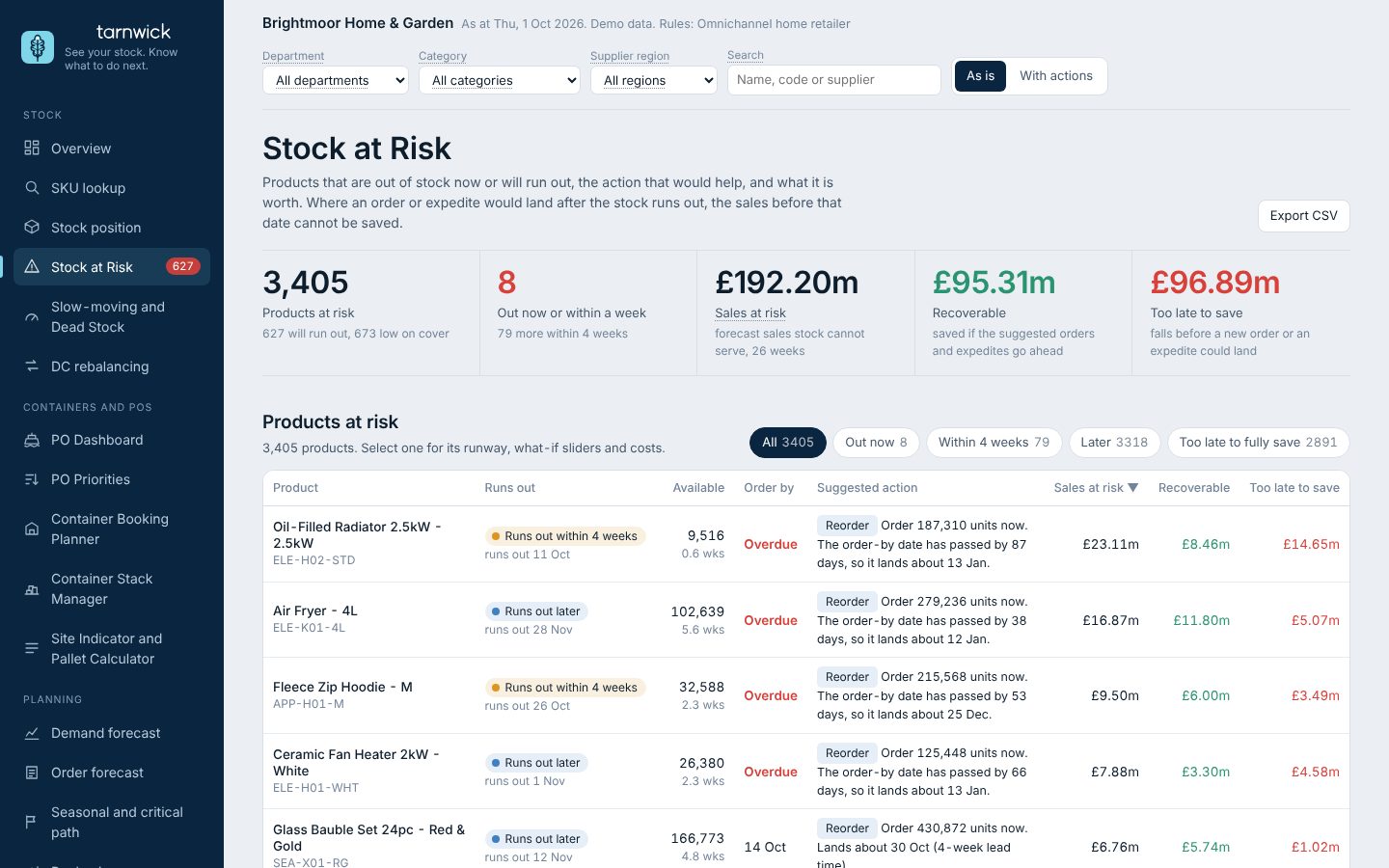
Stock at Risk screen

Stock at Risk

Which products will run out, and by when?
  • Run-out and order-by date for every product
  • Sales lost if nothing changes, and what each fix saves
  • Reorders sized to cover, net of stock already inbound
Rules you set
Cover targetsLead timesSafety stock+ Any of your own custom rules
Slow-moving and dead stock screen

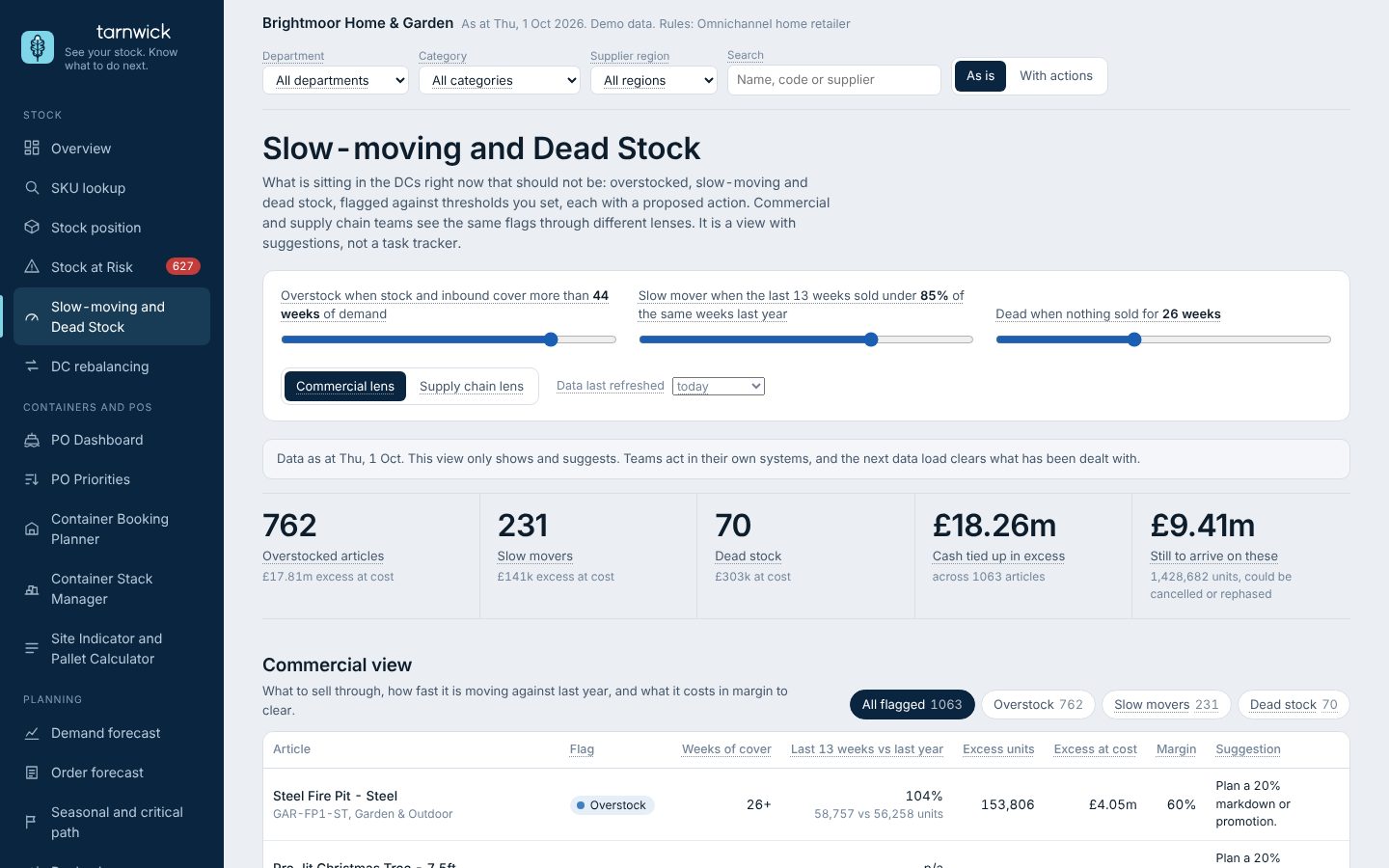
Slow-moving and Dead Stock

What is sitting in our sites that should not be?
  • Overstock, slow-moving and dead lines at cost
  • What is still on order against them, to stop or cancel
  • Thresholds you set, with a custom view to test others
Rules you set
Overstock weeksSlow-mover rateDead-stock age+ Any of your own custom rules
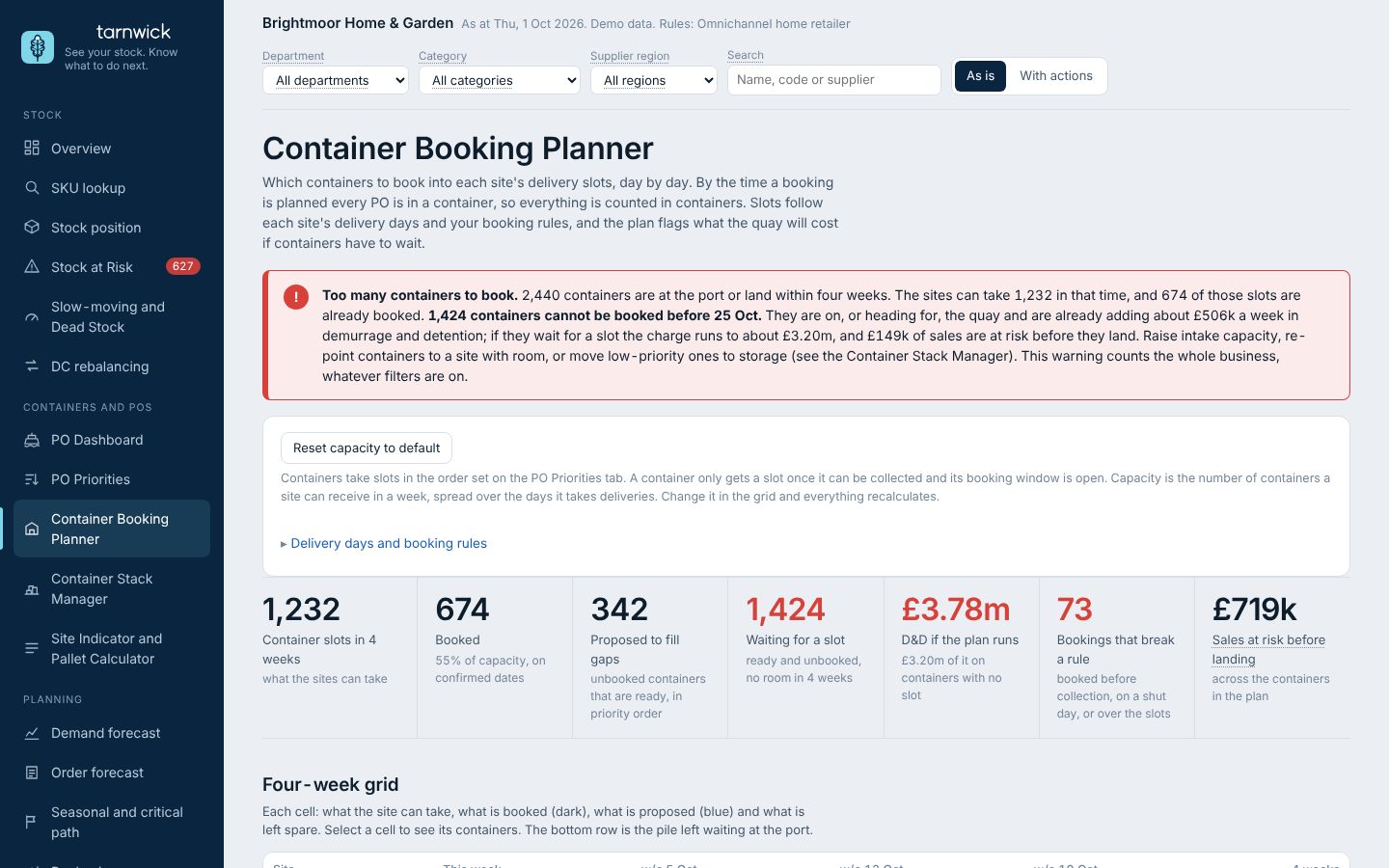
Container Booking Planner screen

Container Booking Planner

Which containers go into which delivery slot, day by day?
  • Slots by site and day of the week, with shut days and bank holidays
  • Notice, collection after ETA, booking window, haulier limit and free days
  • Oldest ETA first, or the order from PO Priorities
  • Lists any booking that breaks a rule
Rules you set
Slots per dayShut daysBooking windowNotice and collection rules+ Any of your own custom rules
PO Priorities screen

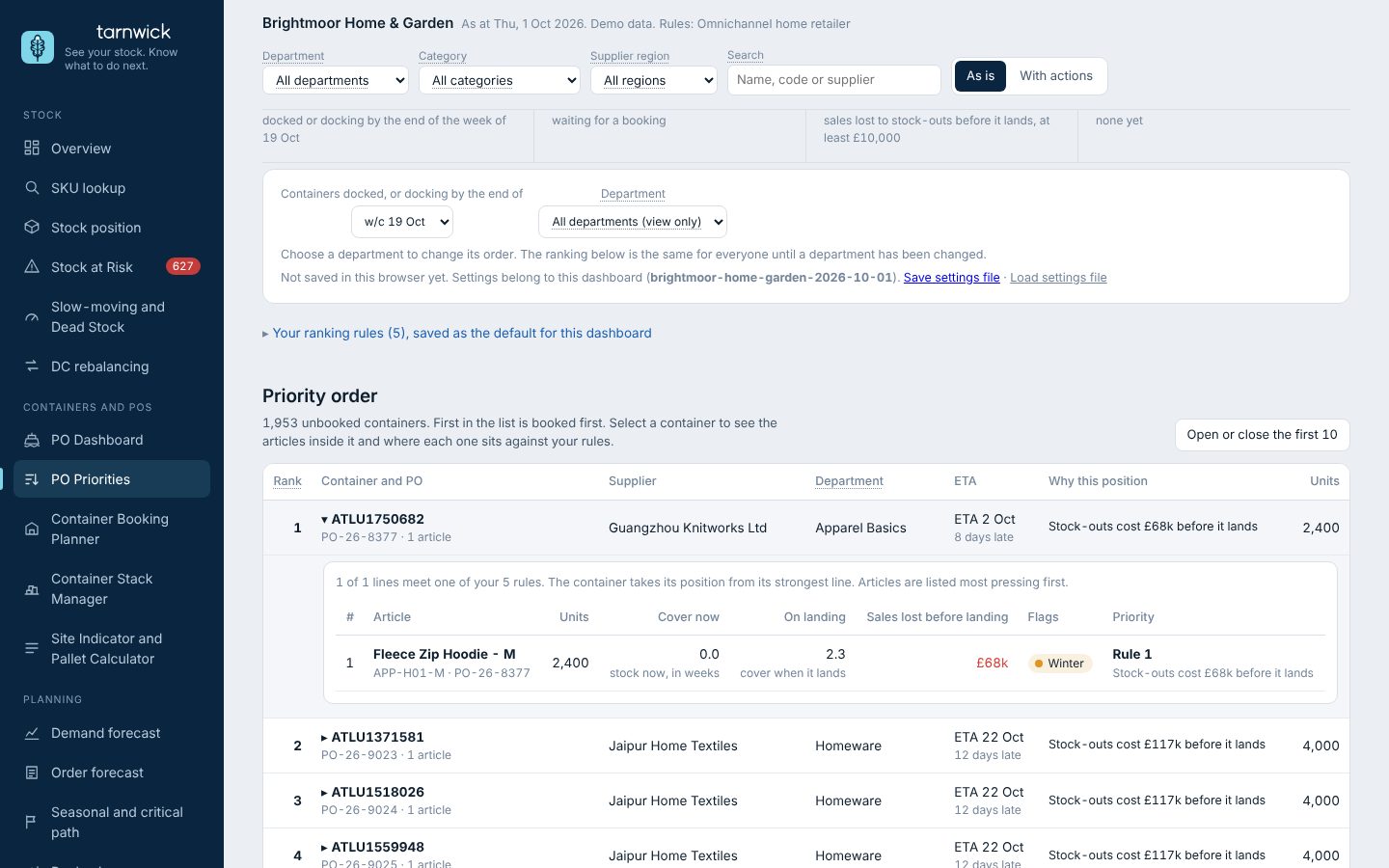
PO Priorities

Which unbooked POs do I deal with first?
  • Your ordered rules rank every unbooked container docked or docking by a week you choose
  • Open a container to see its articles and where each one sits against your rules
  • A department can re-order its own POs without moving anyone else’s
  • Saved per dashboard, so the default view is yours
Rules you set
Ranking rules in your orderThresholds on each ruleWeek selected+ Any of your own custom rules
Container Stack Manager screen

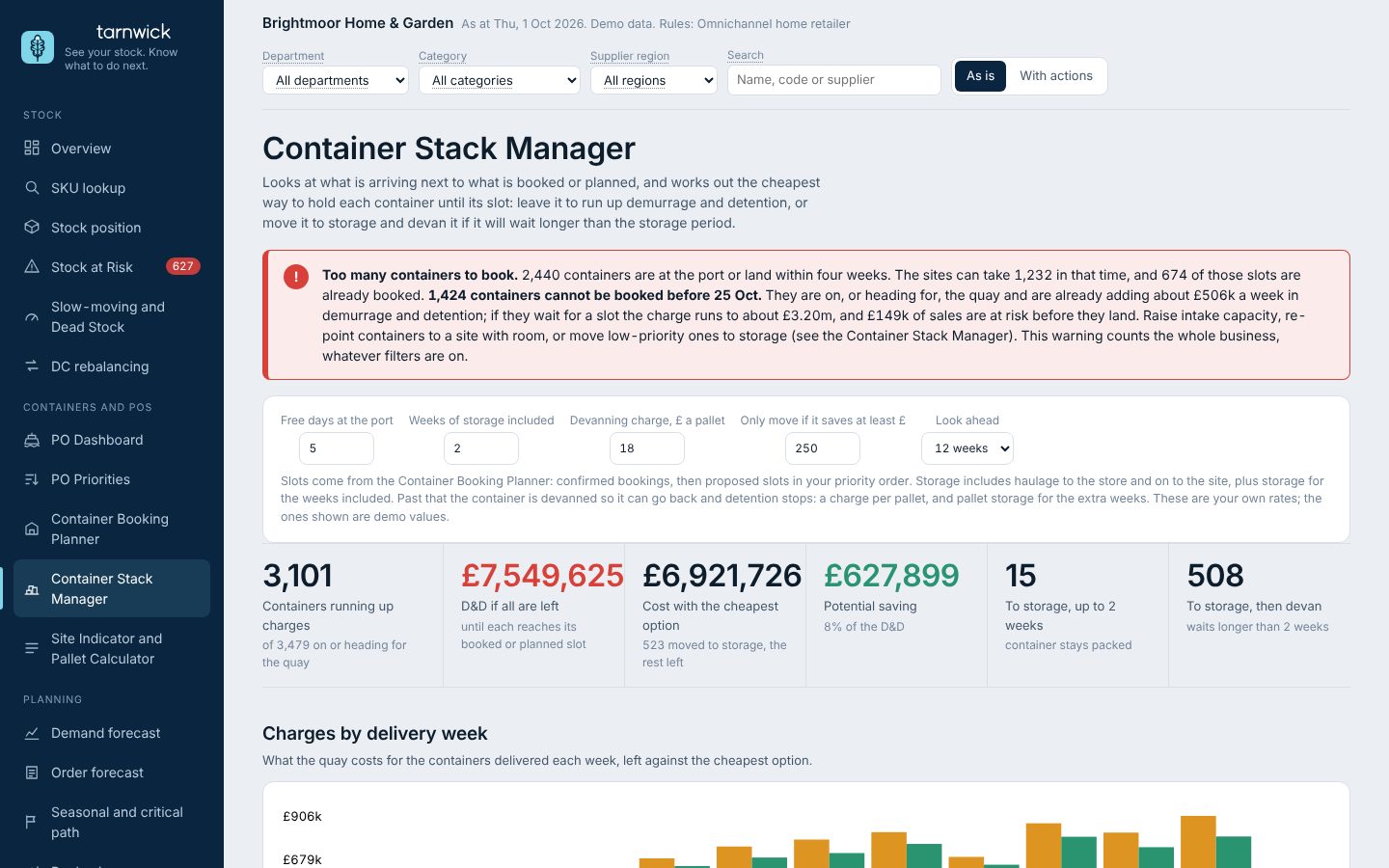
Container Stack Manager

Where are containers building up with nowhere to go, and what will it cost?
  • Demurrage and detention per container, now and if it waits
  • Which boxes to move to storage, and when to bring them back
  • Compare storage against waiting for a slot
Rules you set
Free days by portStorage and devanning costValue of margin to protect+ Any of your own custom rules
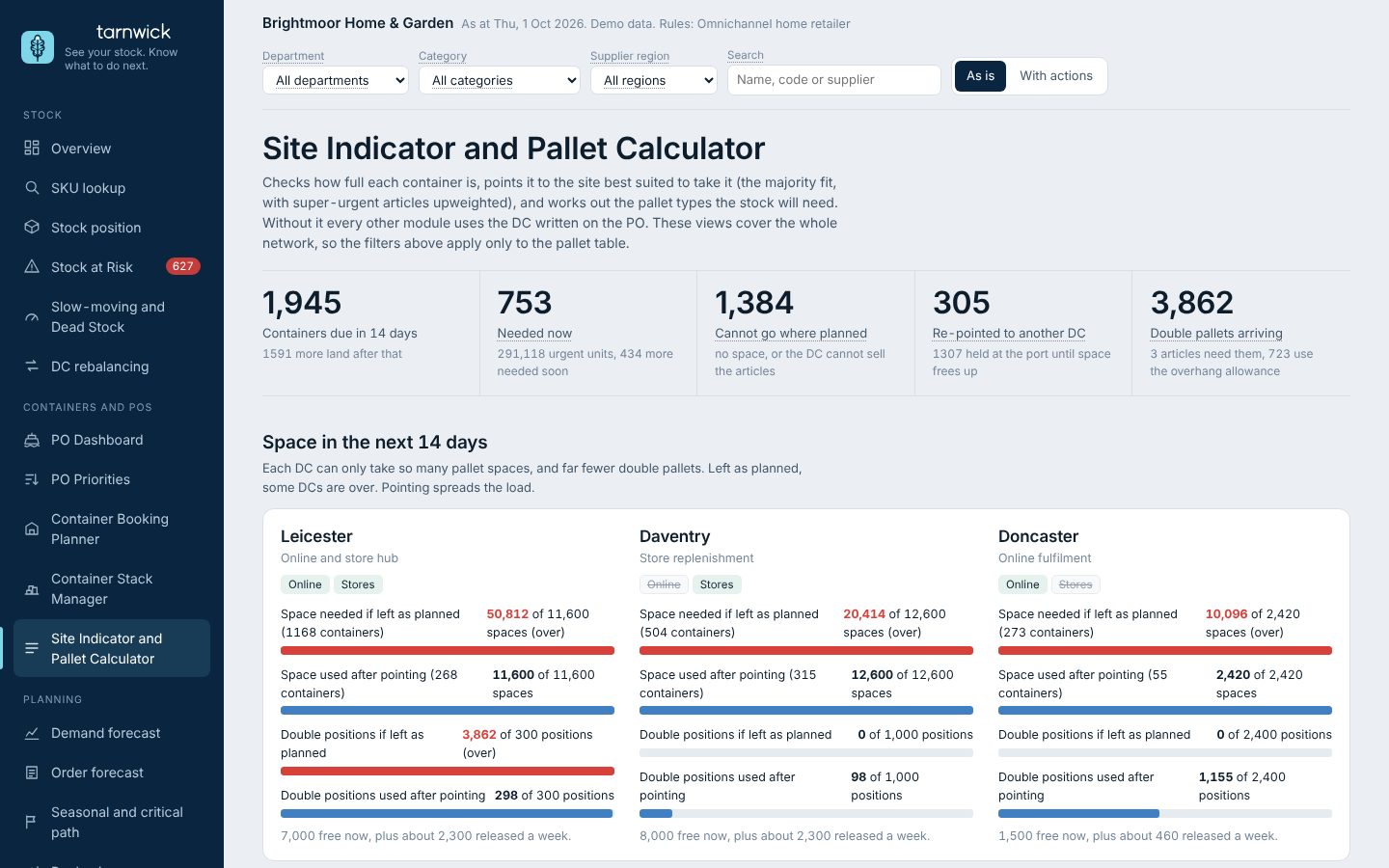
Site Indicator and Pallet Calculator screen

Site Indicator and Pallet Calculator

Which DC should take each container, and how many pallets will it need?
  • Best site for each container by fill, with the priority of the lines inside
  • Single, overhang and double pallets counted per container
  • Pallet totals appear in the PO Dashboard inbound numbers
Rules you set
Pallet size and overhangSite capacitySite weights+ Any of your own custom rules
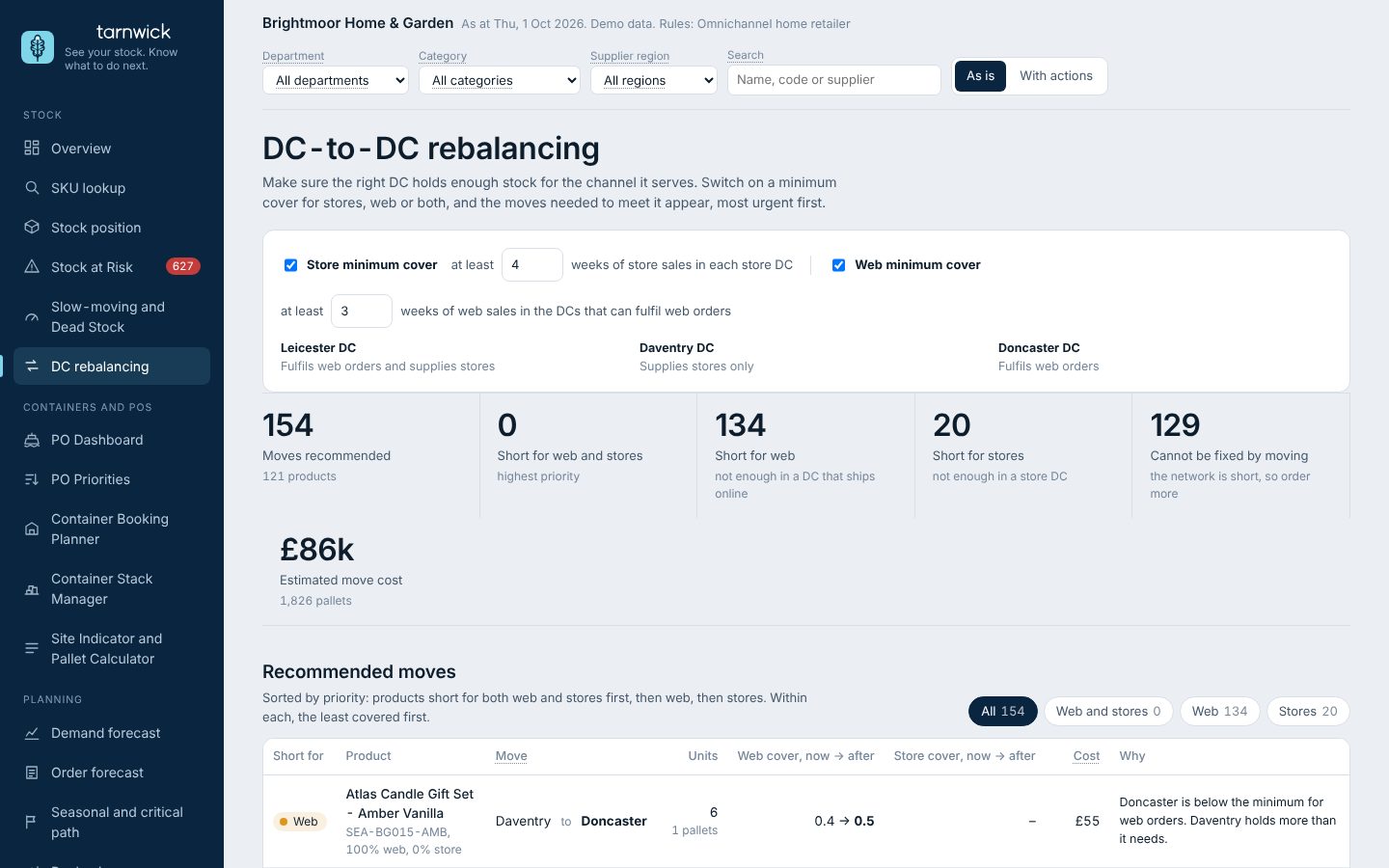
Rebalancing screen

DC-to-DC rebalancing

Is stock in the site that can actually sell it?
  • Stranded stock: stores-only sites holding online-only lines, and the reverse
  • Moves sized in whole cases, with cover before and after
  • Transfer cost per move
Rules you set
What each site servesCover thresholds+ Any of your own custom rules
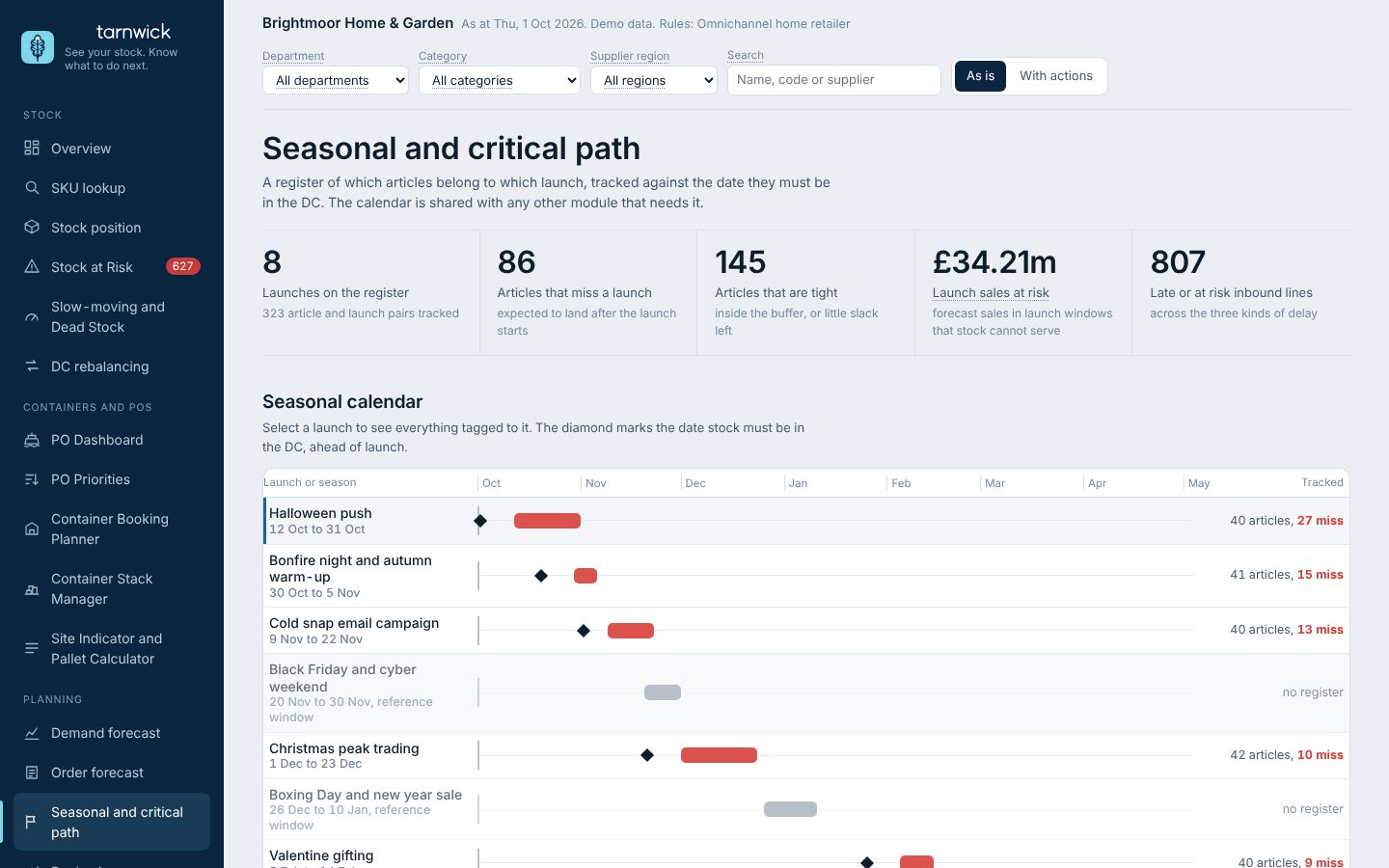
Seasonal calendar screen

Seasonal and critical path

Will everything for the launch be in the site on time?
  • A register of which articles belong to which launch
  • Three kinds of delay: containers late, orders nearing ship-by, stuck in production
  • A shared calendar the other modules read, with measures that could help
Rules you set
Launch buffersTiersWarning windows+ Any of your own custom rules
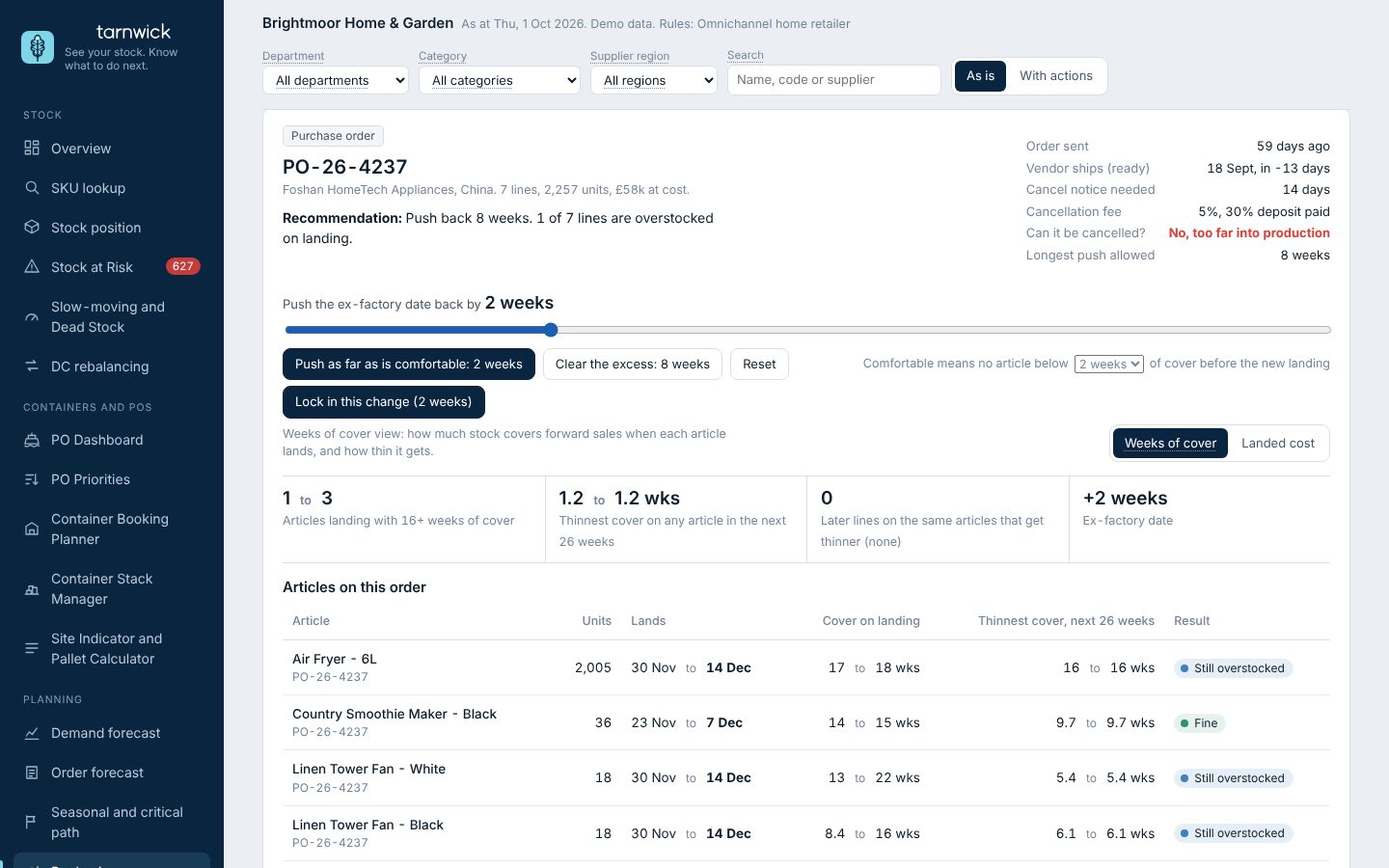
Rephasing screen

Rephasing and cancellation

How far can I push this order, and what does it do to everything else?

  • Drag a PO or container back and see weeks of cover on every article inside it
  • See the knock-on to later orders carrying the same articles
  • Push as far as is comfortable: no lost sales, no article below your floor of cover
  • Switch to landed cost to see the effect on open-to-buy by month
Rules you set
Excess and target weeks of coverComfort floorSupplier cancel notice and feeLongest push allowed+ Any of your own custom rules

Order planning

Which purchase orders should I raise, and how should they ship?

  • Suggested POs built from your recommended weeks of cover (WoC), grouped by supplier or by country of origin. Lead times and safety stock are all shown as WoC, and factory holidays such as Chinese New Year are allowed for
  • Full container (FCL) or part load (LCL) when full volumes are not viable, with the saving shown against the cost of waiting
  • Consolidation centre or milk-run pickups that build a load from several factories
  • Blanket orders for manufacturing, with call-off POs released against them
  • Save cost, maximise container fill, or a blend you set
Rules you set
Minimum order and case sizesContainer fill targetCost against availabilitySeasonal coverRecommended WoC and safety stockFactory closure and reopen dates+ Any of your own custom rules

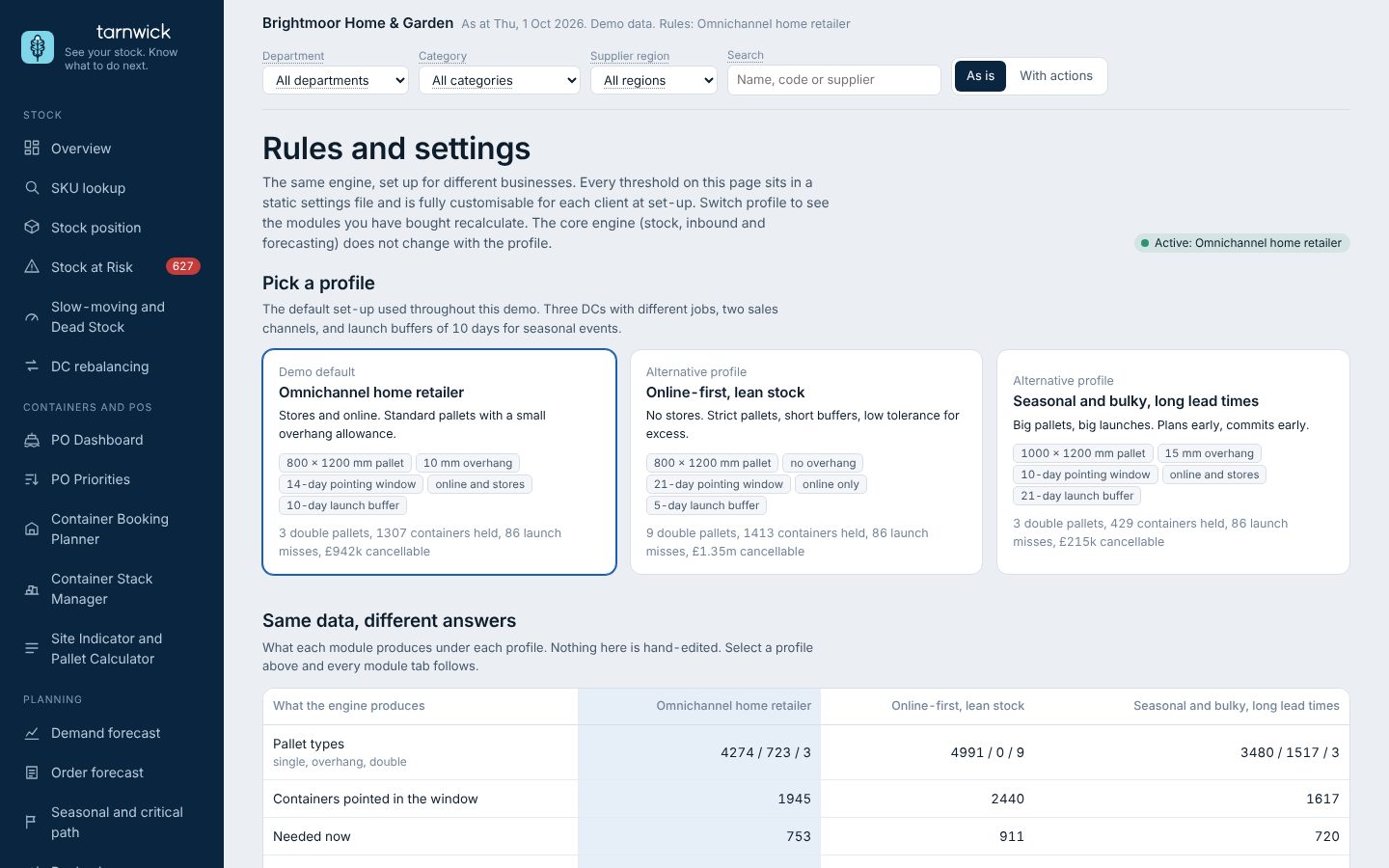
Every module runs on your rules

Pallet sizes, buffers, thresholds, what each warehouse is for, how much notice a supplier needs. Each rule is a setting with an owner, so the output matches how your best planner would call it.
See it in action

Rules and settings page

Which decision costs you most?

Tell us on a free 30-minute call. We will say whether a module can help.

Book a free consultation