Tarnwick is supply chain software built around your business. It analyses your stock, orders, containers and sales, then recommends the best action for each decision: protect availability (service level), reduce cost, or a blend of both.
The framework is already built. Each module is customised and developed around your files and rules.
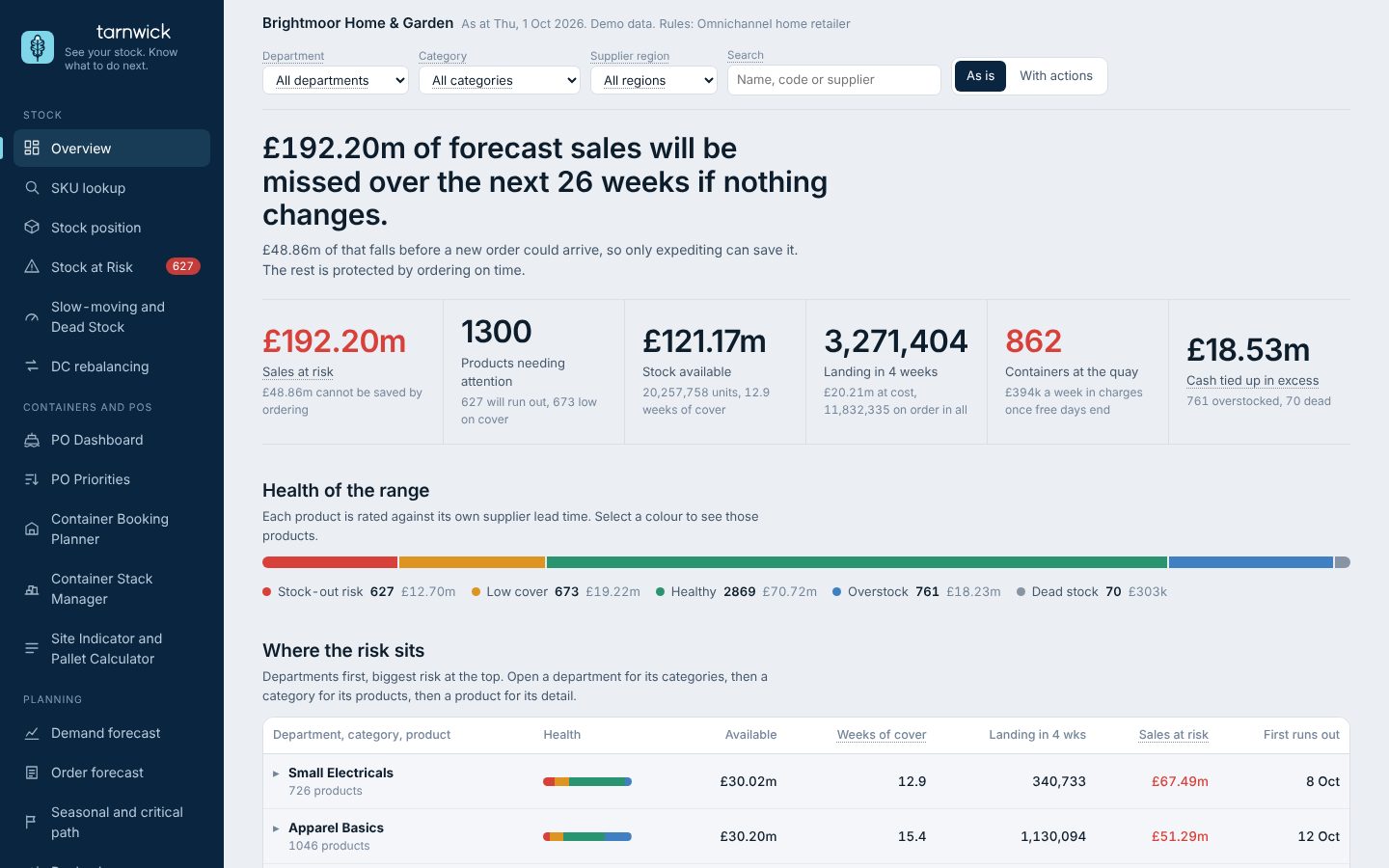
Lost time and poor decisions are among the costliest things in a supply chain. Tarnwick analyses all of your data and gives data-backed suggestions for every module.
Work that takes hours or days in spreadsheets is done in minutes, so decisions are made sooner.
Each suggestion shows the numbers behind it, so it can be checked and trusted.
The same numbers and rules for every department, instead of competing opinions and separate spreadsheets.
The PO Dashboard shows every purchase order and container on its real route, round the Cape to the UK port, coloured by whether the stock inside will arrive in time. Below the map, pick a container and see the SKUs inside it, their weeks of cover and the date you can act on.
Each container holds several articles. Slide the delay and see which ones run out before it lands, and the date to act by.
Stock, POs and several forwarders each use their own SKU codes, dates and layouts. Someone rebuilds the picture by hand every week.
Sales dip when you run out, so last year's numbers teach the forecast the wrong lesson. Tarnwick corrects for the weeks you were out.
POs placed months ago land when you no longer need them. Tarnwick shows the weeks of cover (WoC) each PO will land with, before it leaves the factory, so you can rephase it.
Try it
These are the same pictures you get in the app, running on made-up numbers for a demo business. Move the sliders.
Excess arrives unnoticed
Slide the ex-factory date, or say how many weeks of cover to leave, and see every article on the PO, what else lands on it, and the open-to-buy month it moves to. Orders that share a container with other lines are flagged, with the departments that still need to agree.
Spot the gap months before it hits
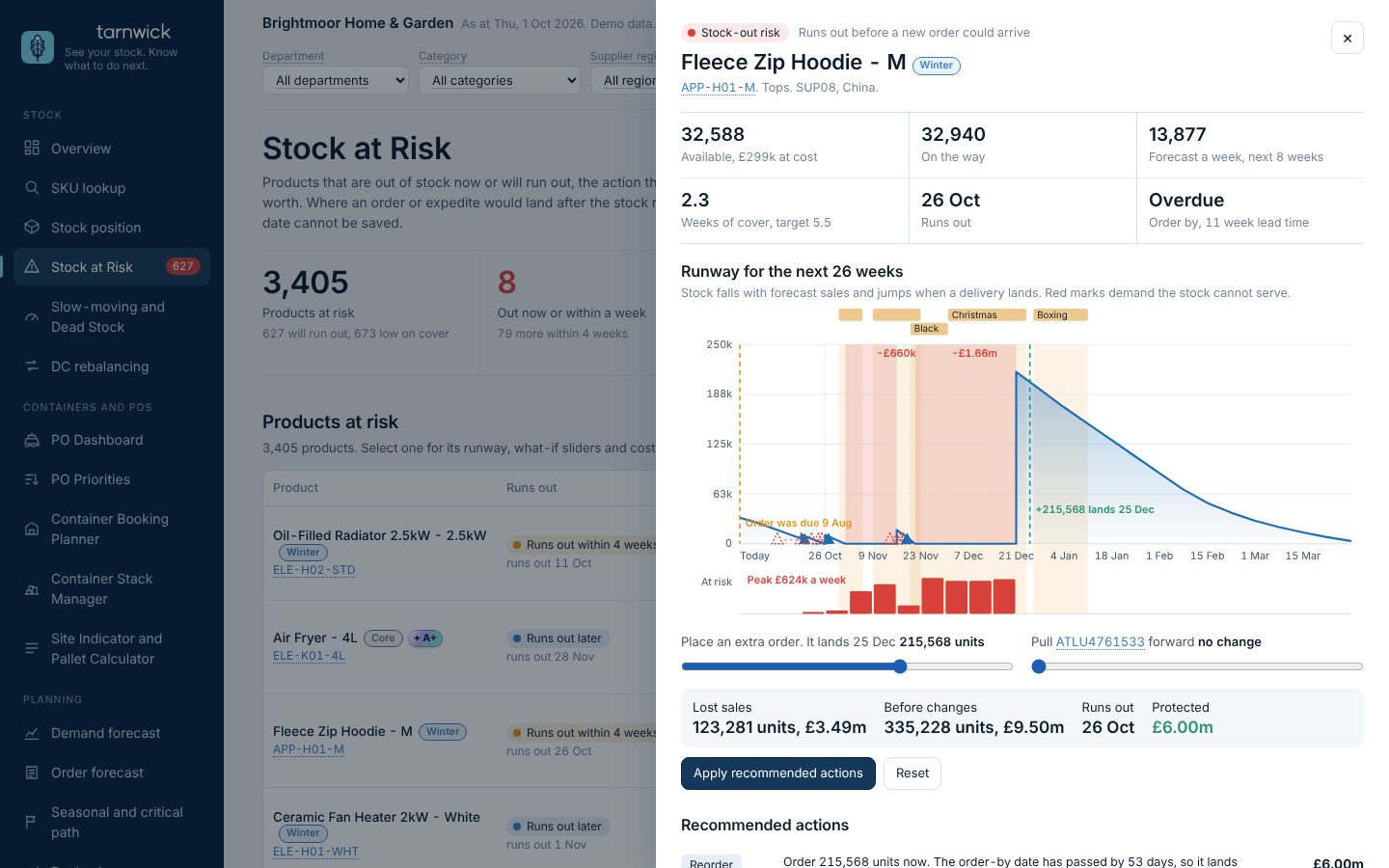
Add an extra order or pull a shipment forward and the runway redraws: the run-out date, the sales you would lose, and what the change protects.
Stock-outs hide real demand
A product that ran out in its peak looks like it sold less. Switch the forecast between what sold and demand corrected for the stock-outs, and compare the error.
Half a day or more
About 30 minutes
Typical figures from our experience. Your numbers will vary.
Open any SKU to see its runway, the order-by date against its lead time, and what each fix would protect.
Demo business with made-up data.
Where every unit is, by DC, category and SKU, rated healthy, low, at risk, overstocked or dead.
Every container and purchase order (PO), from multiple forwarders, on one map and timeline with late ETA warnings.
Demand corrected for past stock-outs. Works on its own, or alongside the forecast you already have.
PO priorities and container booking, the container stack and D&D, DC-to-DC rebalancing, slow-movers and dead stock, launch critical path, and rephasing POs with the effect on OTB. Each runs on your rules, on the same engine.
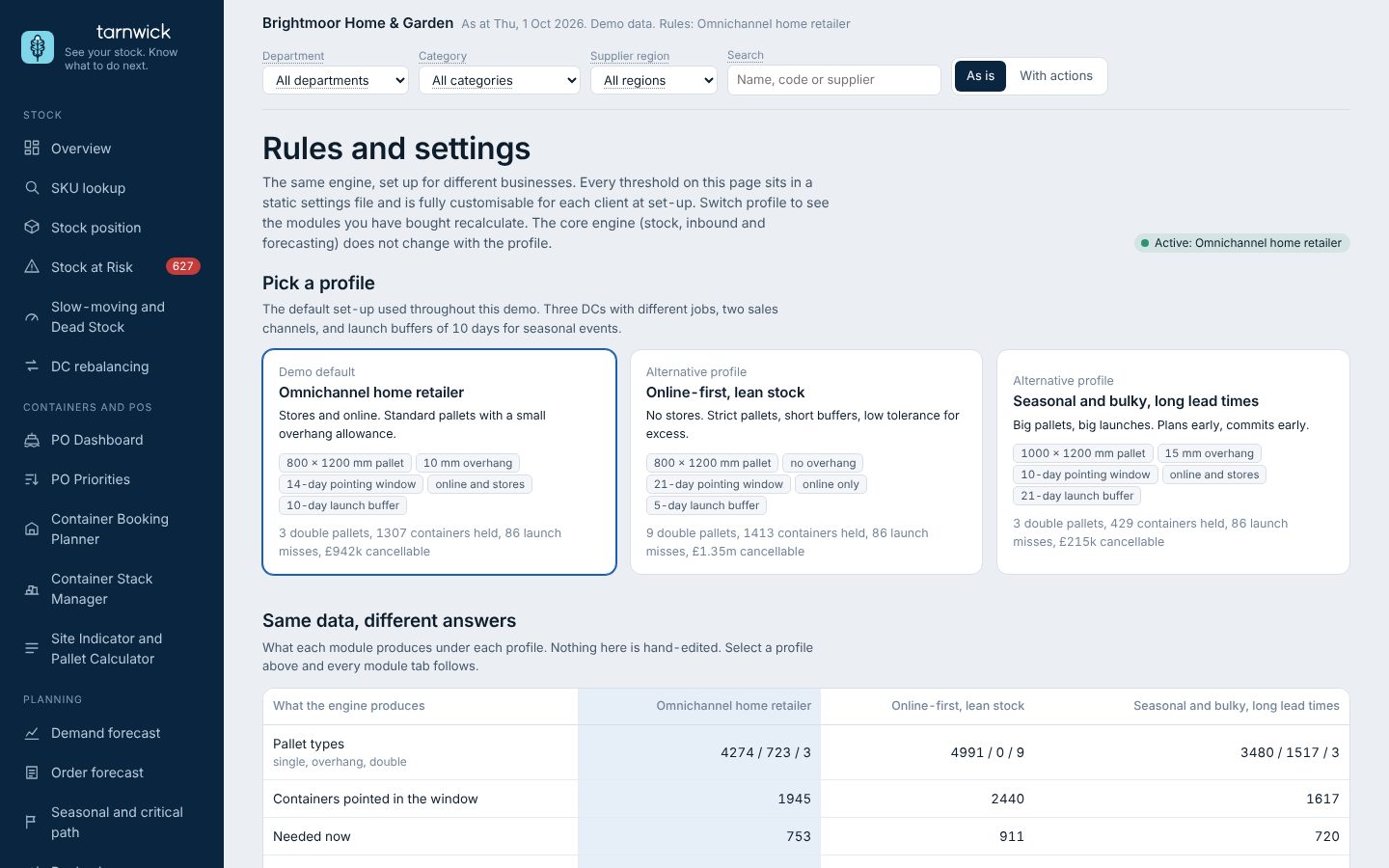
Pallet sizes, safety stock and WoC targets, thresholds, what each DC is for. Every rule is a setting with an owner. Pick a profile to see the same engine give different answers.
Stores and online. Standard pallets with a small overhang allowance.
Pallet types across 5,000 articles: 4,274 single, 723 overhang, 3 double
No stores. Strict pallets with no overhang, short launch buffers, low tolerance for excess.
Pallet types across 5,000 articles: 4,991 single, 0 overhang, 7 double, 2 oversize
Bigger pallets, three-week launch buffers, suppliers needing more notice to cancel.
Pallet types across 5,000 articles: 3,480 single, 1,517 overhang, 3 double
Demo data. Only the rules changed between profiles.
We refresh it for you.
Your own script refreshes it.
Most customers start here.